Viewing your NFT on OpenSea
Once your NFT has been bought and claimed to your account, you are now able to view it on OpenSea.
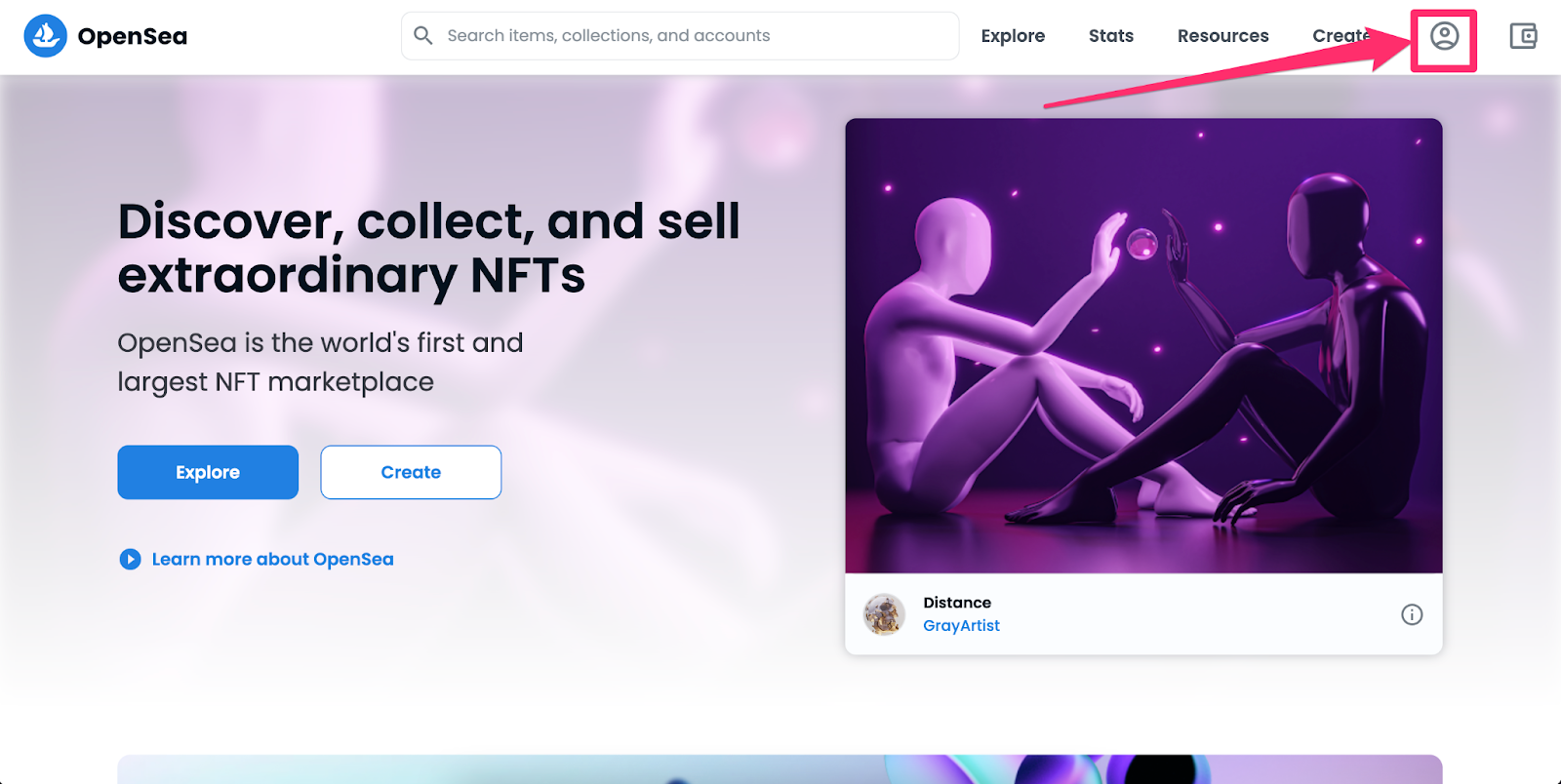
- Navigate to the https://opensea.io/ and click on the profile button top right.
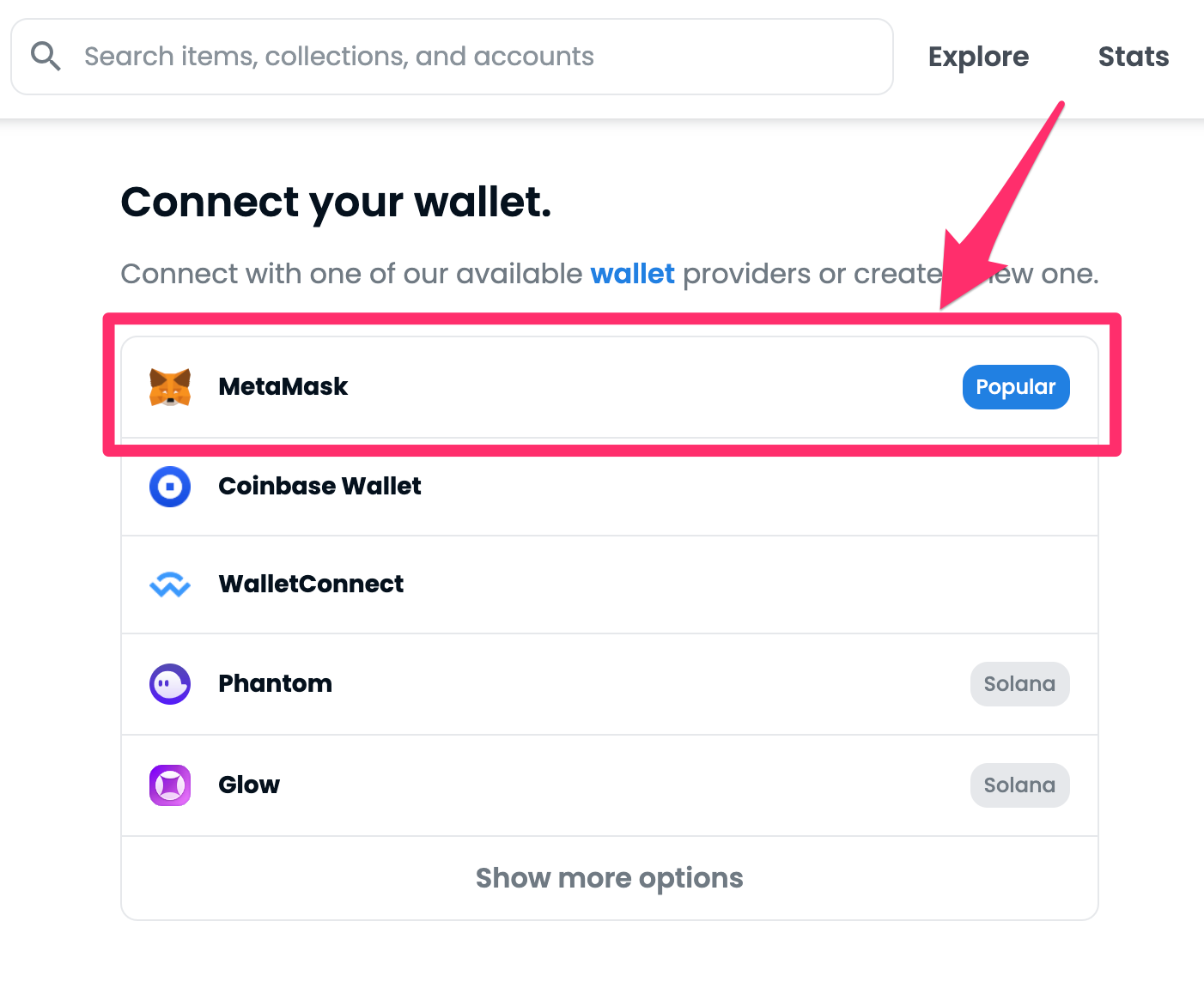
- Connect your wallet by clicking on the MetaMask wallet option.
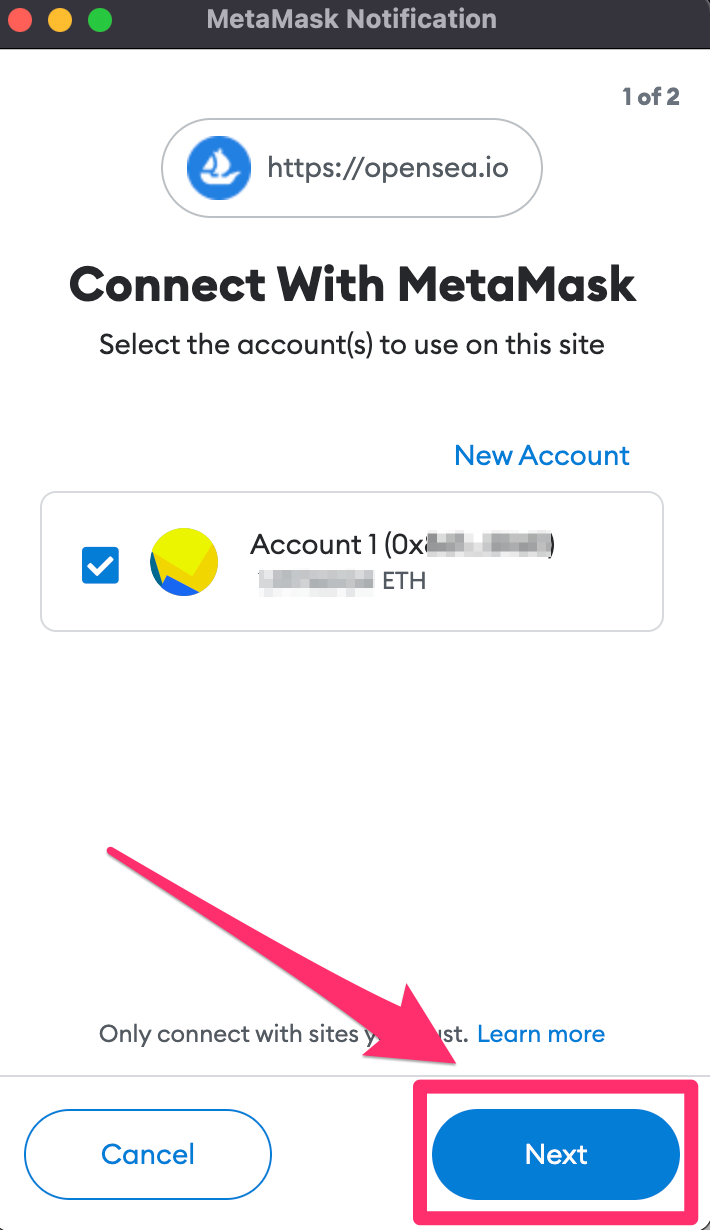
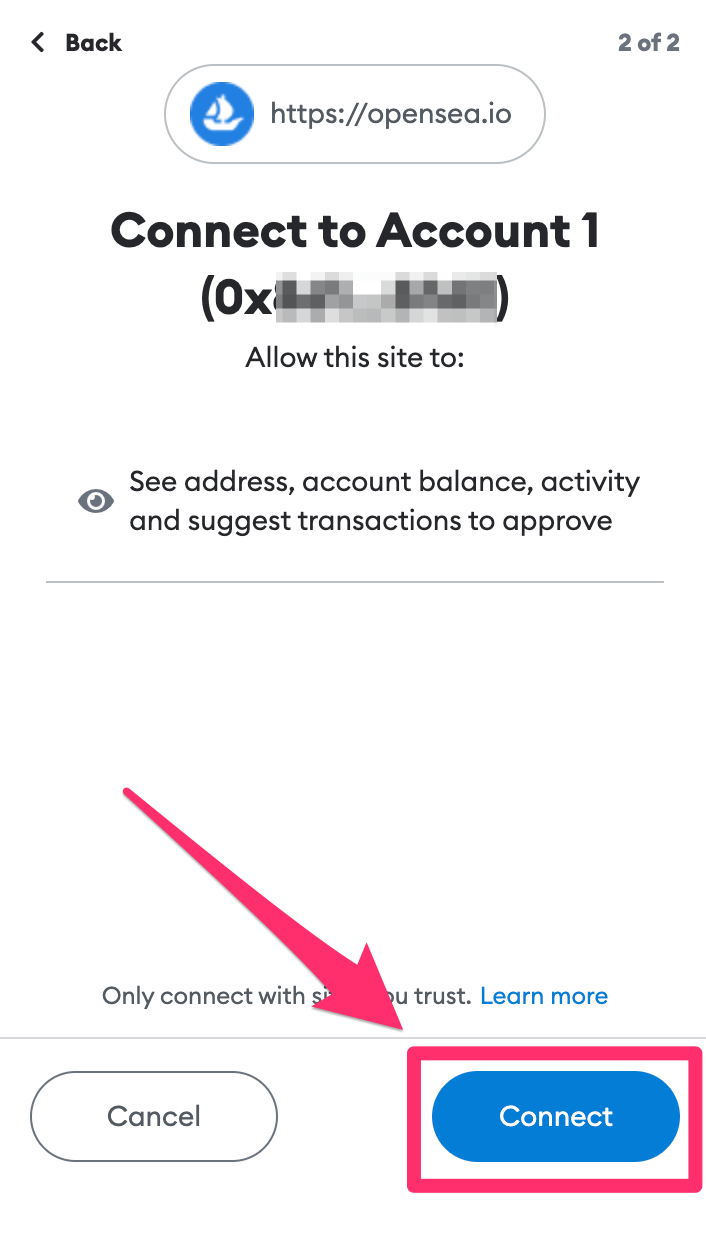
- A MetaMask notification will popup and ask permission to connect with MetaMask. Click
NextandConnect.
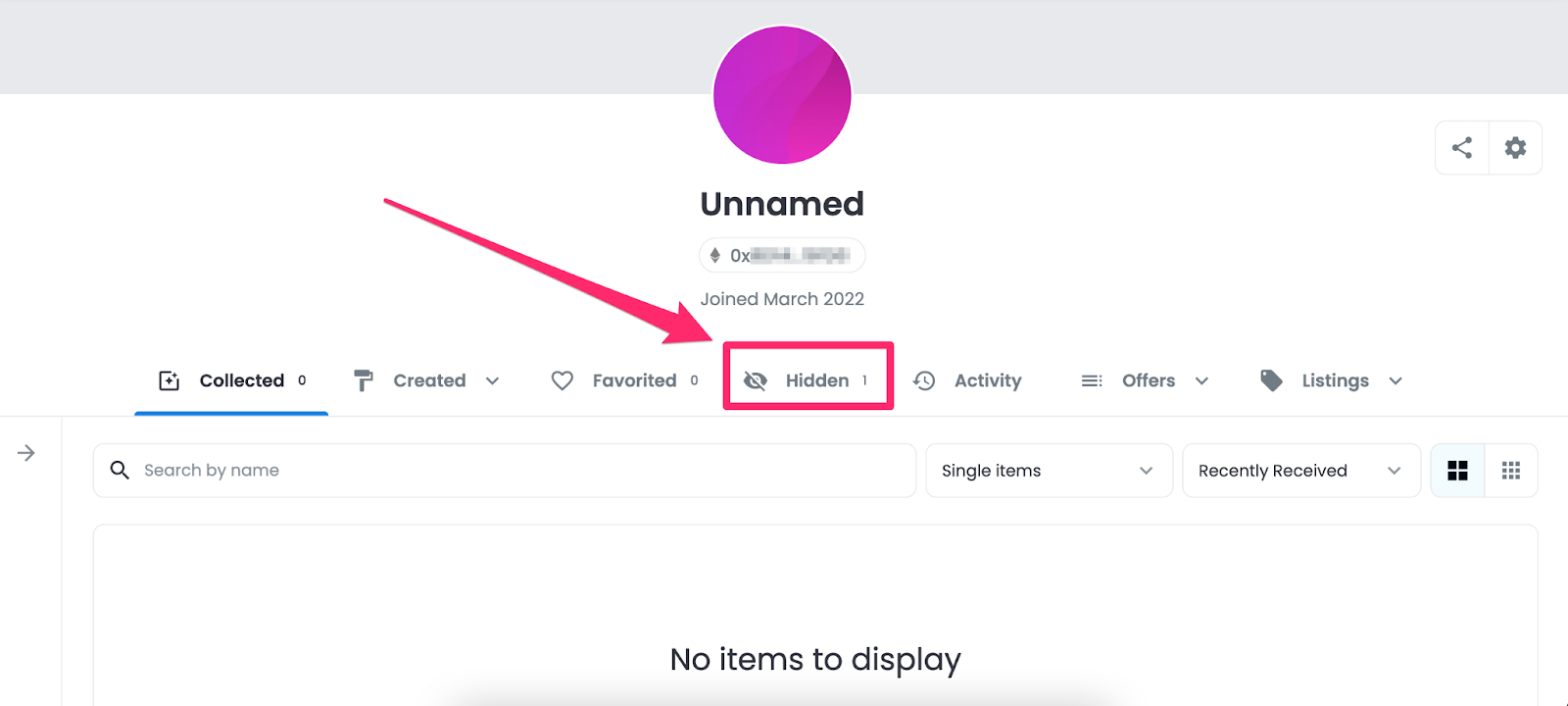
- Once logged in, you will be greeted with your profile page on OpenSea. Click the
Hiddentab.
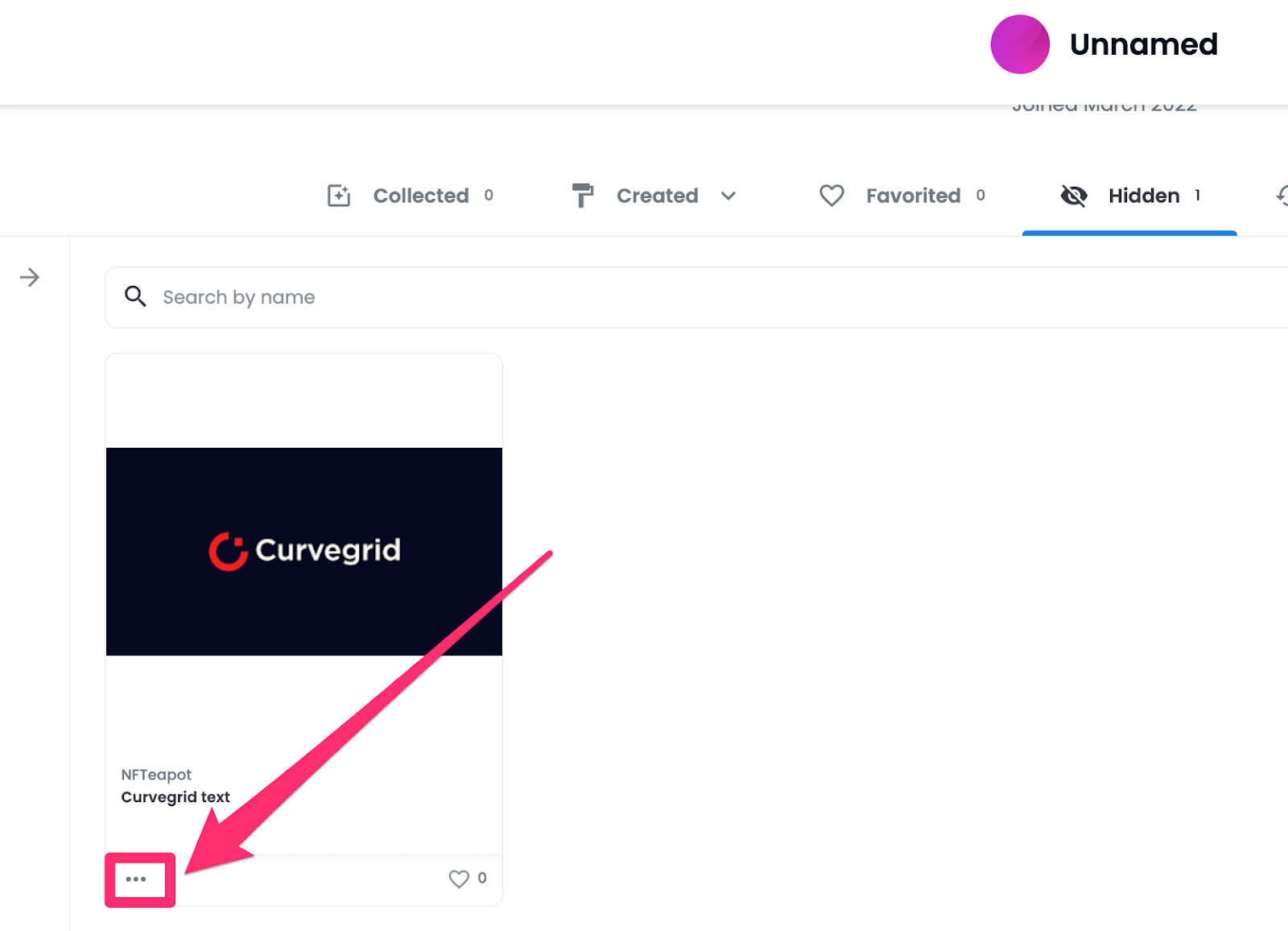
- The NFT you have purchased will be shown. Click on the three dots in the bottom left of the NFT card.
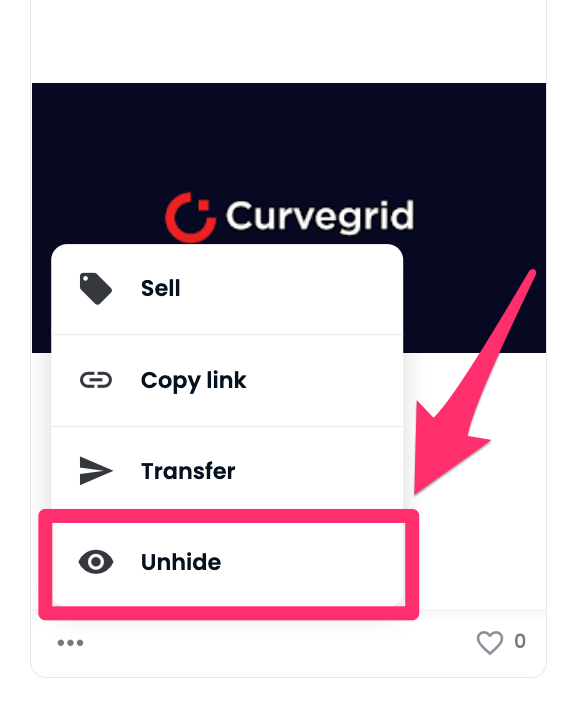
- Select
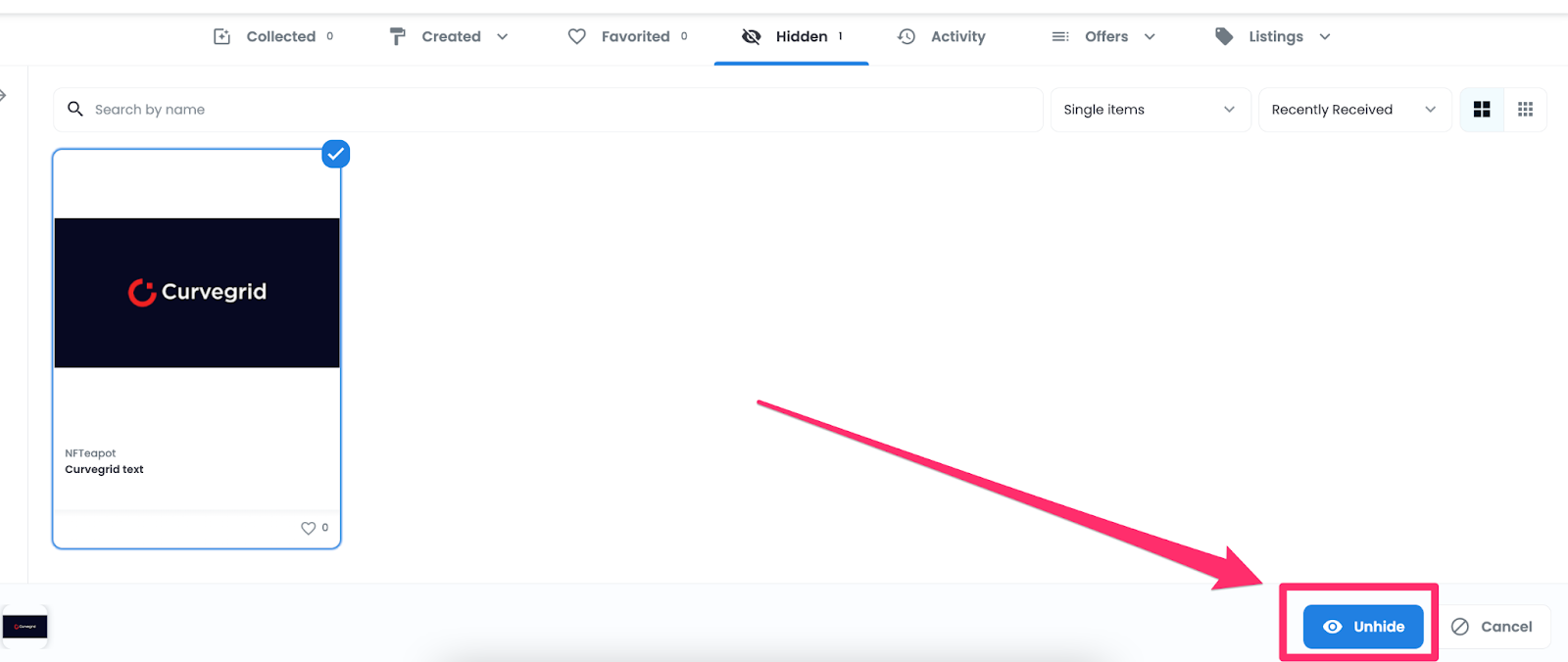
Unhide,and click theUnhidebutton at the bottom right of the screen.
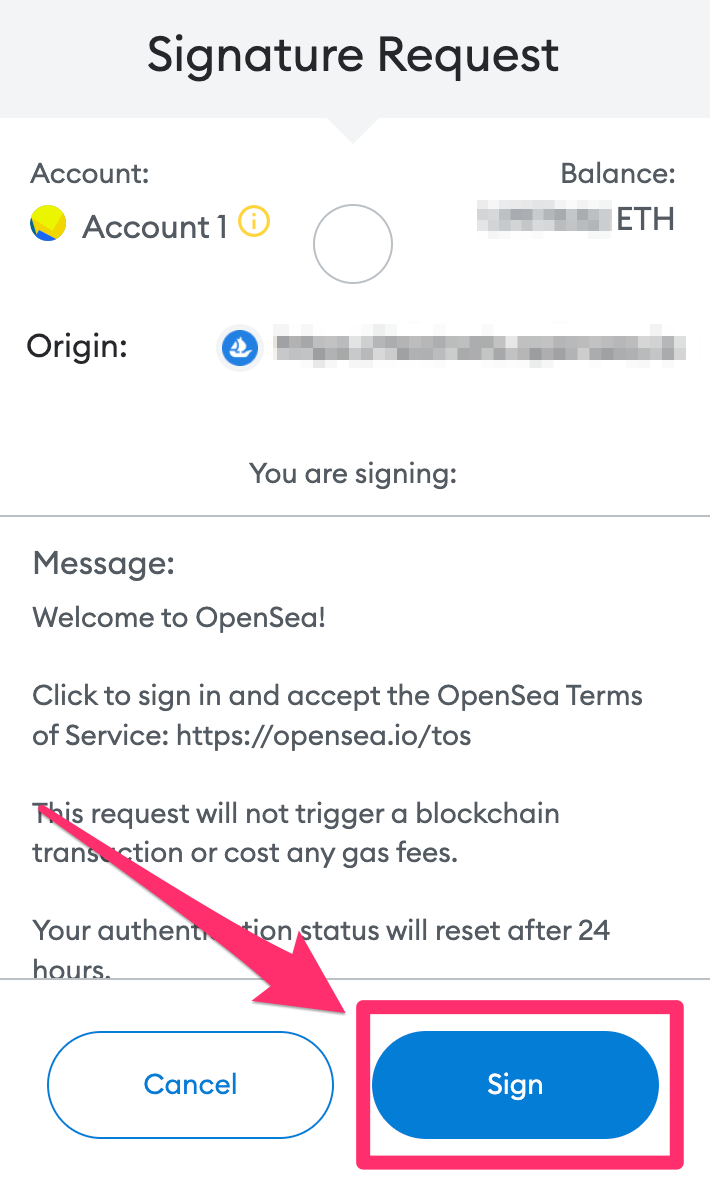
- A signature request will popup. Click
Sign.
- After the signature has been signed, your NFT will now show under the collected tab.